
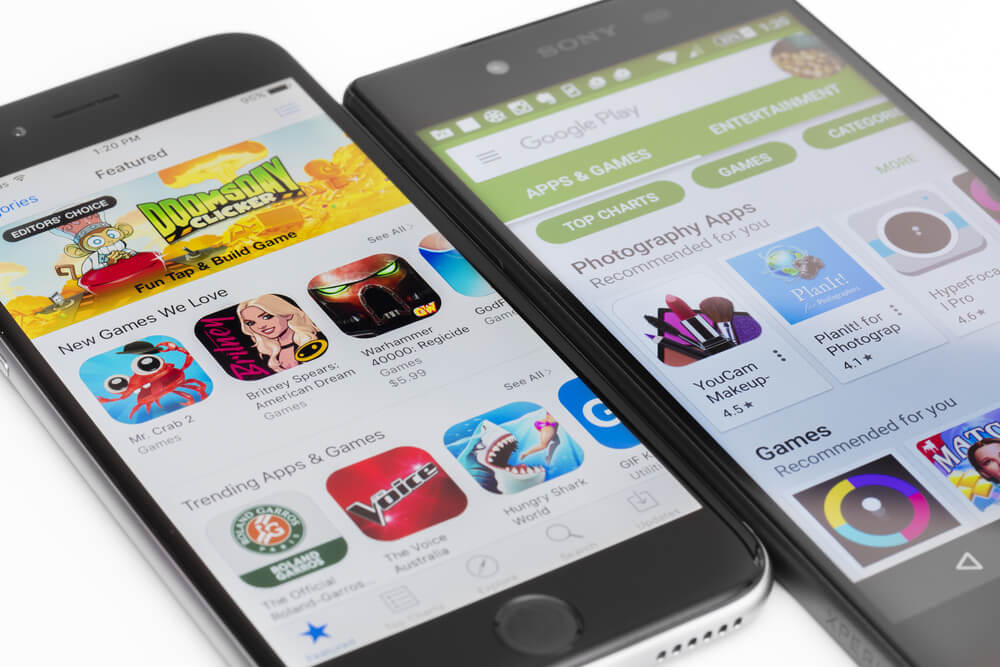
The Android vs iOS debate has evolved significantly since this post was first published. Both platforms have matured, converged on many capabilities, and diverged again in others. For QA teams responsible for mobile application quality across both platforms, understanding the meaningful testing differences between Android and iOS is essential — not as an academic exercise but as a practical guide to where testing effort should be concentrated and why. This post compares the two platforms across the dimensions that matter most to mobile testing in 2026.
Platform Overview: Where Each Stands in 2026
Android 15
Android 15 continues Google’s focus on large-screen and foldable device support, edge-to-edge display enforcement, and predictive back gesture requirements. Android’s open ecosystem means it runs across thousands of device models from dozens of manufacturers — Samsung, Google, OnePlus, Xiaomi, and more — each with custom UI overlays, pre-installed applications, and hardware configurations. Android has approximately 72% global mobile OS market share but iOS dominates in North America, Western Europe, Japan, and Australia — the highest-value markets for most commercial applications.
iOS 18
iOS 18 introduces Apple Intelligence — a suite of on-device AI features covering Writing Tools, image generation, Siri enhancements, and notification summarisation. iOS runs exclusively on Apple hardware, which means the device matrix is comparatively small and well-defined. Apple’s annual OS adoption rate is much faster than Android’s — typically over 70% adoption within a few months of release — meaning new iOS version testing is urgent in a way that new Android version testing often is not for consumer apps targeting Android’s fragmented installed base.
Key Testing Differences: Android vs iOS
Device and OS Fragmentation
Android: The most significant challenge. Android 13, 14, and 15 are all in active use simultaneously, with different manufacturers shipping different OS versions on different hardware tiers. A layout that renders correctly on a Samsung Galaxy S25 may overflow on a budget Xiaomi device with a non-standard screen aspect ratio. Testing must cover representative device/OS combinations, not just the latest flagship hardware. Cloud device farms (BrowserStack, AWS Device Farm, LambdaTest) are essential for practical Android compatibility testing.
iOS: Comparatively manageable. Apple supports the current and previous two major versions in practice, and the device hardware range — while broader than before with the addition of iPad models and different iPhone size tiers — is well-defined. Testing across iPhone 15/16 series and current iPad models covers the vast majority of the active iOS user base.
App Distribution and Review
Android: Google Play review is faster and more automated than Apple’s. Side-loading APKs directly to test devices requires only enabling a developer setting, making test builds easy to distribute. Android also supports multiple app stores, which is relevant for applications distributed through enterprise MDM channels or regional app stores.
iOS: Apple’s App Store review is more stringent and slower, requiring explicit consideration in release planning. TestFlight is Apple’s official beta distribution mechanism and is well-integrated with Xcode and App Store Connect. Direct device installation (outside TestFlight) requires developer certificates and explicit device registration, adding friction to test build distribution.
Automation Frameworks
Android: Espresso (Google’s native framework, fast, tightly integrated with Android Studio), UIAutomator2 (for cross-app and system UI interactions), and Appium with UIAutomator2 driver for cross-platform approaches. Espresso is the recommended choice for Android-specific automation.
iOS: XCUITest (Apple’s native framework, fast, integrated with Xcode), Swift Testing (new in Xcode 16 for unit/integration tests), and Appium with XCUITest driver for cross-platform. XCUITest is the recommended choice for iOS-specific automation.
Cross-platform: Appium 2.x covers both platforms through a unified WebDriver API. WebdriverIO, Detox (React Native), and WDIO are popular client frameworks. Cross-platform automation sacrifices some speed and native integration for the productivity benefit of a shared codebase.
Permission Models
Android: Runtime permissions (introduced in Android 6) require applications to request permissions at the point of use. Android 13+ granularised media permissions (separate permissions for photos, videos, audio). Android 14+ introduced selected photo access (users can grant access to specific photos rather than the full gallery). Each permission model change requires updated test cases for grant, denial, and partial-grant scenarios.
iOS: iOS has historically had the more privacy-restrictive permission model. iOS 18 adds granular contacts access (grant per-contact rather than full access). Testing must cover all permission states: not determined, granted, denied, and the new partial-grant states introduced in recent OS versions. UI automation for permission dialogs requires careful handling since system dialogs are outside the application’s accessibility tree.
Background Processing
Android: Historically more permissive about background processing. Android 15 continues the trend of restricting background activity to reduce battery drain, but the restrictions are less aggressive than iOS. Background location, background data sync, and push notification delivery are generally more reliable on Android than iOS.
iOS: iOS applies strict limits to background execution. Applications are suspended after a short period in the background and are subject to memory pressure kills. Testing background behaviour — push notification handling, background refresh, location updates — requires specific test scenarios that trigger these OS-level controls, not just happy-path foreground testing.
UI and Design Language
Android: Material Design 3 (Material You) with dynamic colour theming based on the user’s wallpaper. Applications that adopt Material You correctly adapt their colour palette to user preferences. Test that the application’s visual design remains coherent across different Material You colour schemes.
iOS: Human Interface Guidelines with SF Symbols, Dynamic Type, and Dark Mode. Applications must be tested across Light and Dark modes, across Dynamic Type size settings (accessibility font sizes can expand UI elements significantly), and with SF Symbol rendering at different display scales.
Foldable and Large Screen Support
Android: Samsung Galaxy Z Fold series and Google Pixel Fold have driven Android’s foldable ecosystem. Android 15 and Google’s large-screen quality guidelines make foldable and tablet support an explicit requirement for applications targeting broader Android distribution. Testing must cover unfolded/folded transitions, multi-window mode, and drag-and-drop interactions.
iOS: iPadOS on iPad Pro and iPad Air provides Apple’s large-screen experience. Stage Manager (multi-window on iPadOS) requires applications to support flexible window sizing. If the application has an iPad target, multitasking scenarios must be in the test matrix.
Testing Strategy: Parallel vs Sequential
Organisations frequently ask whether to test Android and iOS in parallel or to complete one platform before starting the other. The answer depends on team structure and timeline, but the general guidance is:
- Run platform-agnostic functional tests from a shared test case repository against both platforms simultaneously where team capacity allows
- Platform-specific scenarios (permission handling, hardware features, UI conventions) should be tested by engineers with platform expertise
- Prioritise iOS first if your target market is North America, UK, or Australia (iOS-dominant markets); prioritise Android first for South and Southeast Asia, Latin America, and Africa
- For applications with equal priority on both platforms, ensure coverage parity — don’t systematically deprioritise one platform’s test depth against the other
VTEST’s Mobile Testing Across Both Platforms
VTEST has extensive experience testing applications across Android and iOS, with dedicated expertise in both native automation frameworks and cross-platform Appium-based approaches. Our mobile team stays current with each major OS release, maintaining updated test suites and regression coverage for platform-level changes before they reach client applications. Whether you need platform-specific expertise or a unified cross-platform testing approach, we can build the coverage model that fits your product and audience.

Namrata Shinde — Functional Testing Expert, VTEST
Namrata is a Functional Testing Expert at VTEST with deep experience in mobile, UI, and end-to-end testing. She ensures every release is thoroughly validated and bulletproof before reaching end users.
